Your private space for daily reflections, thoughts, and memories. Write freely with AI-powered sentiment analysis, photo attachments, and intelligent insights into your writing patterns.
Free app with optional premium features iPhone, iPad & Mac • iOS 16.0+
See Feeltracker for Daily Journaling in Action
Everything You Need for Mindful Journaling
Distraction-Free Writing
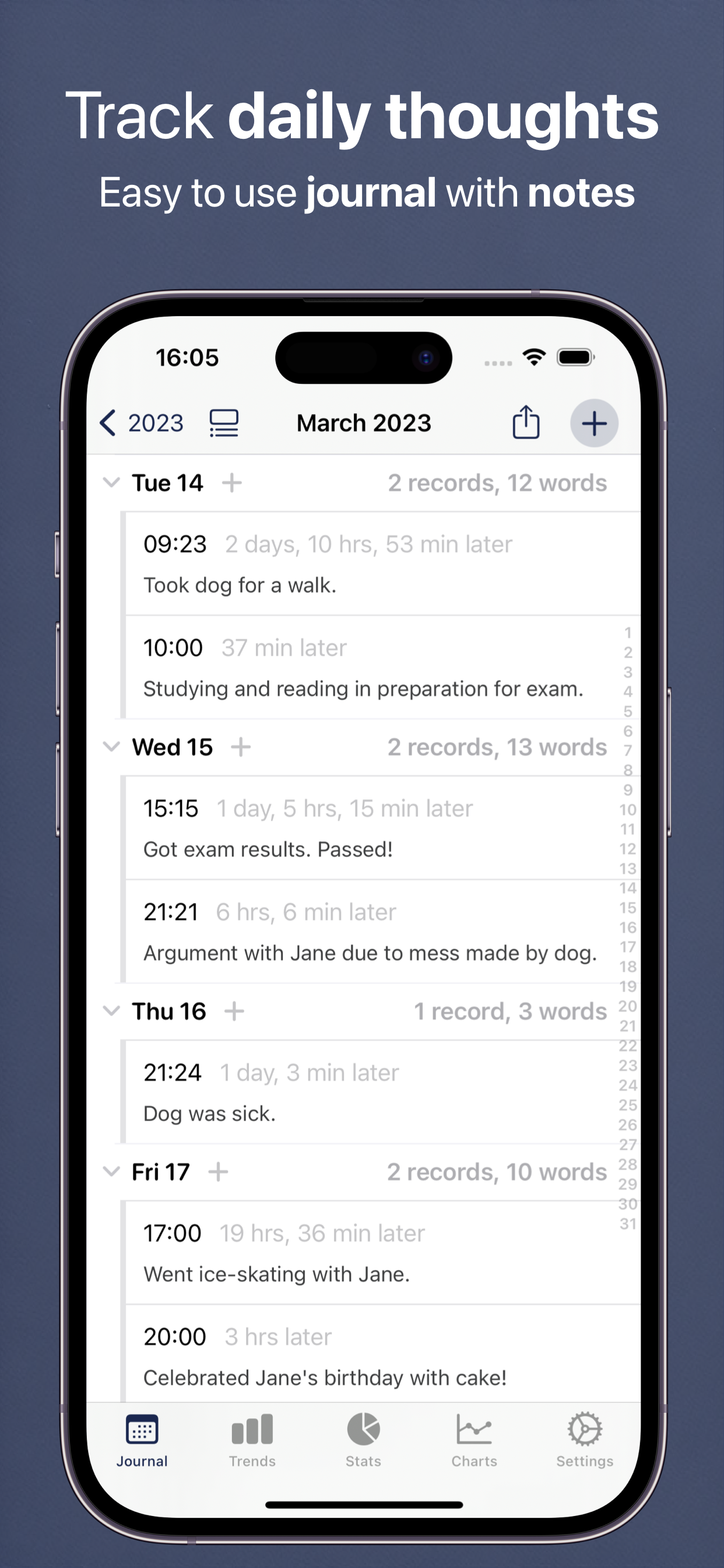
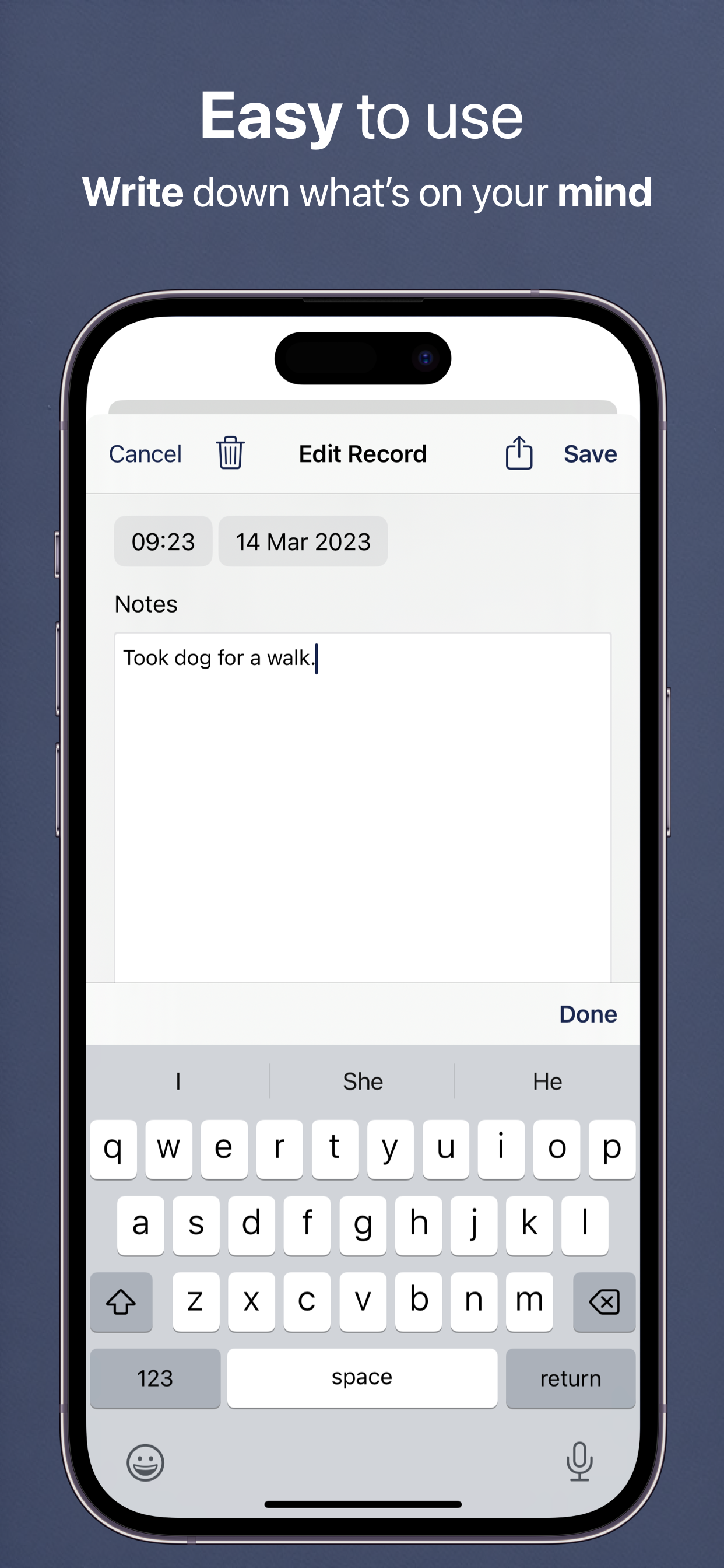
Clean, simple interface that puts your words first. No clutter, just you and your thoughts. Write as much or as little as you want each day.
AI Sentiment Analysis
Automatic sentiment detection shows the emotional tone of your entries using Apple's on-device Natural Language API. Completely private - never leaves your device.
AI Scanning
Scan objects, documents, receipts, or text with your camera and let AI describe them and extract text. Instantly create journal entries from real-world items.
Word Frequency Analysis
Discover what's really on your mind. See which words and themes appear most often in your writing to identify patterns and recurring thoughts.
Photo Journals
Attach up to 8 photos per entry to capture memories visually. Perfect for travel journals, gratitude diaries, or simply documenting your day.
Note Templates
Quick-start your entries with customizable templates. Perfect for gratitude journals, morning pages, goal tracking, or any recurring journaling practice.
Item Scanning
Point your camera at any object and let AI describe it with creative context for your journal. Transform everyday moments into meaningful entries.
Text Scanning
Capture text from documents, signs, or screens with AI-powered OCR. Instantly digitize written content into your journal entries.
Powerful Search
Find any entry instantly with full-text search. Your journals are also indexed in iOS Spotlight for quick access from anywhere on your device.
How Daily Journaling Works
Your personal journaling companion for capturing life's moments and discovering patterns
1. Write Your Thoughts
Instant Entry: Open the app and start writing immediately. No setup, no configuration, no complexity. Just your thoughts and the page. The clean, distraction-free interface helps you focus on expressing yourself.
Rich Media: Enhance entries with photos, attach images to capture memories visually. Add voice recordings, sketches, or any media that helps tell your story. Every entry becomes a complete snapshot of your day.
Note Templates: Use pre-made templates for daily reflections, gratitude journaling, goal tracking, dream logs, or create your own custom templates. Templates provide structure while still giving you freedom to write naturally.
2. See Patterns Emerge
Sentiment Analysis: AI automatically detects the emotional tone of your entries - positive, negative, or neutral. See your mood trends visualized over weeks and months to understand your emotional patterns.
Word Frequency: Discover which topics, people, or themes you write about most. The app identifies recurring words and phrases, revealing what's consistently on your mind and how your focus shifts over time.
Calendar View: Browse your entire journaling history in a calendar interface. Each day shows an excerpt and mood indicator. Quickly jump to any past entry to see what you were thinking on that day.
3. Reflect and Grow
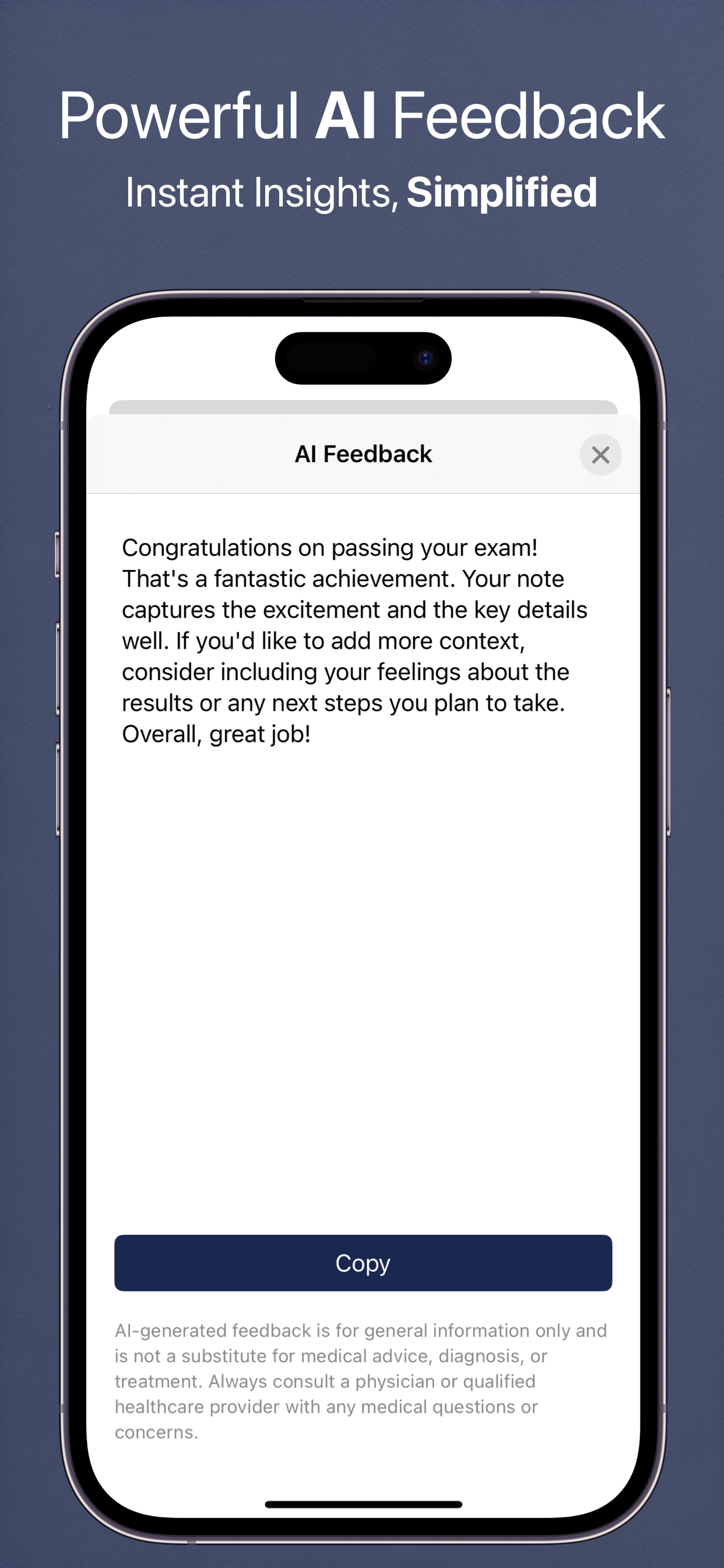
AI-Powered Insights: Ask questions about your journal: "What were my happiest days last month?" or "Show me all entries where I mentioned my goals." Get instant, thoughtful answers that help you understand your journey.
Personal Growth Tracking: Review how your thoughts, concerns, and aspirations evolve. See progress toward goals mentioned in past entries. Identify growth areas and celebrate how far you've come.
Search Everything: Powerful search finds any word, phrase, or concept across years of journaling. Filter by date, mood, or keywords. Your entire written history is instantly accessible and searchable.
4. Keep Everything Safe
Private & Secure: All entries are encrypted and stored in your personal iCloud account. Only you can read your journal - the app uses end-to-end encryption so your words stay completely private.
Automatic Backup: Weekly automatic JSON backups ensure you never lose your thoughts. Manual backup anytime to export your entire journal. Your words are protected against device loss or failure.
Cross-Device Sync: Write on iPhone, continue on iPad, review on Mac. All your entries sync automatically via iCloud. Your journal follows you everywhere, always up-to-date on every device.
Powered by Artificial Intelligence
Advanced AI features to help you get more from your journaling practice
Free AI Features
Ask a Question
Quick Q&A about your journal entries - get instant answers about your writing
Chat
Have interactive conversations about your journaling journey and get personalized guidance
Voice Summary
Listen to audio summaries of your journal themes - perfect for on-the-go reflection
AI Scanning
Scan objects, documents, receipts, or text to create instant journal entries with AI descriptions
Make Me Laugh
Get personalized humor from your journal entries to brighten your day
Calm Me Down
AI-guided breathing and relaxation exercises to help reduce stress
Premium AI Features
Deep Research Reports
Comprehensive AI analysis of your journal with detailed insights
Pattern Detective
Find hidden themes and patterns in your journal entries over time
Goal Assistant
Get personalized, data-driven life goals based on your journaling patterns
Doctor Summary
Generate professional summaries to share at healthcare visits
Sick Note Generator
AI-generated sick notes for work or school when you need them
Story Generator
Transform your journal entries into creative, engaging narratives
Text Summary
Create shareable text message summaries of your journal themes
Personalized Quiz
Test your knowledge with a fun AI-generated 10-question quiz about your data
Text-to-Speech
Listen to your AI insights and summaries with natural voice playback
Tailored Health Report
Create comprehensive, personalized documents to track your journaling progress
Theme Explorer
Discover recurring topics and ideas in your writing with AI-powered theme analysis
Sentiment Timeline
Visualize your emotional journey over time with AI-analyzed sentiment tracking
AI Disclaimer
AI-generated insights, reports, and recommendations are for general information only and are not a substitute for medical advice, diagnosis, or treatment. AI-identified patterns show correlations, but correlation does not imply causation. Always consult a physician or qualified healthcare provider with any medical questions or concerns. These tools are designed to help you organize and understand your health data, not to provide medical guidance.
Why Practice Daily Journaling?
Research shows journaling improves mental health, clarity, and creativity
Mental Clarity
Writing helps organize thoughts and reduce mental clutter
Emotional Processing
Express and process feelings in a safe, private space
Track Progress
See how far you've come by reviewing past entries
Self-Discovery
Uncover patterns in your thinking and behavior
Gratitude Practice
Cultivate thankfulness with daily gratitude journaling
Preserve Memories
Create a personal archive of your life's moments
Available in 32 Languages
Daily Journaling is fully localized in: English, Spanish (Español), French (Français), French Canadian, German (Deutsch), Italian (Italiano), Dutch (Nederlands), Portuguese Brazil (Português), Portuguese Portugal, Swedish (Svenska), Norwegian (Norsk), Danish (Dansk), Finnish (Suomi), Polish (Polski), Russian (Русский), Ukrainian (Українська), Czech (Čeština), Slovak (Slovenčina), Romanian (Română), Croatian (Hrvatski), Hungarian (Magyar), Arabic (العربية), Hebrew (עברית), Simplified Chinese (简体中文), Traditional Chinese (繁體中文), Japanese (日本語), Korean (한국어), Thai (ไทย), Vietnamese (Tiếng Việt), Greek (Ελληνικά), Turkish (Türkçe), and Catalan (Català).
Perfect For...
Daily Reflection
End each day by writing about what happened, what you learned, and how you felt. Build a consistent journaling habit with reminders and templates.
Gratitude Journaling
Use note templates to quickly log three things you're grateful for each day. Track your gratitude practice and see positive patterns emerge.
Travel Journals
Document your adventures with photos and detailed notes. Create a rich record of your travels that you can revisit anytime.
Goal Tracking
Write about your goals, track your progress, and reflect on what's working. Use AI insights to see which approaches are most effective.
Creative Writing
Practice daily writing, capture ideas, and develop your voice. The distraction-free interface helps you focus on your craft.
Mental Health
Process emotions, identify triggers, and track mood patterns through writing. Sentiment analysis provides objective feedback on emotional tone.
Frequently Asked Questions
Is my journal private?
Absolutely. Your entries are stored encrypted on your device and in your private iCloud account. We never see your writing. Even the AI sentiment analysis happens entirely on your device using Apple's Natural Language API - your words never leave your phone.
How does sentiment analysis work?
When you write 8 or more words, the app uses Apple's built-in Natural Language framework to analyze the emotional tone. An emoji appears to show whether the entry reads as positive, negative, or neutral. This happens entirely on-device for complete privacy.
What is word frequency analysis?
The Trends feature analyzes all your entries to show which words and topics you write about most often. This helps you identify recurring themes, concerns, or interests in your thinking.
Can I add photos to my journal?
Yes! You can attach up to 8 photos to each journal entry. Photos are stored efficiently with automatic thumbnail generation, and they sync across all your devices via iCloud.
What are note templates?
Templates are pre-written prompts that help you start writing quickly. Create custom templates for things like gratitude lists, daily reviews, goal tracking, or any other recurring format you use.
Can I export my journal entries?
Yes. You can export your entries as PDF, Excel, or JSON files. This lets you create backups, share selected entries, or move your data to other platforms if needed.
Does it work on Mac?
Yes! The app runs natively on Apple Silicon Macs (M1 and later). Your entries sync automatically between your iPhone, iPad, and Mac via iCloud.
Can I write multiple entries per day?
Absolutely. Write as many entries as you want each day. Some people journal in the morning and evening, while others add notes throughout the day.
Do you show ads or track me?
No. We've completely removed all advertisements from the app. We don't track you across other apps or websites, and we never sell your data to advertisers.
Your data syncs via iCloud - just like Apple Notes and Photos. This means we don't need to know your email address, name, or any personal information. Your journal entries are stored on your devices and in your iCloud account, and they're completely private whether you use the free version or premium.
Do I need a subscription?
The app is completely free to download and use. All core tracking features work without a subscription. A premium subscription unlocks advanced AI features, unlimited exports, and enhanced customization. You can try all premium features during the free trial period.
What Users Are Saying
Real reviews from the App Store
Perfect & Simple
"Been looking for something exactly like this for over a year. Perfect app that does what it does without any fuss. I use this to jot down notes about tasks completed, calls made, info learned, etc. I am self-employed and wanted a simple method of keeping a record of info for the myriad projects I have going at any given time. It has a simple search function so as long as I keep my terminology/project name consistent I can pull up entries similar to tag-searching. I love the simplicity of what is essentially a calendar based notes app. I am able to make several short entries on a single date, all visible from the start screen. This feature is a huge part of the app's functionality for me because it allows me to glance at all my notes on a given day while keeping entries separated by project. There's no fancy/cutesy formatting that only shows previews of entries—you can read the entirety of each entry right from the main calendar page."
- Danofishje
So far so good
"This is a nice little simple app that does not overextend into unneeded areas. It is the simplicity of it, including the simplicity of the interface that I value more than anything. I don't need flowers and squirrels and games and peekaboo things and rainbow unicorns. I just need a simple diary-like note app. So far this app has fulfilled those requirements or lack of requirements. It's sort of refreshing. I also appreciate that you can export it in PDF form when there is a need to do so. Thank you for keeping it simple."
- PRE'
Very good for health treatment log.
"I'm trying to keep a record of pain levels throughout the day. This app is perfect for that!"
- LT351
Freedom
"Freedom the snow and how to manage your time"
- 223tr
Worth it
"Thanks for quick response, that was fast. This project has my support for sure. One last request: Let the AI be a bit more usable, prompt about times etc From Here to Now, maybe some sort of prompt GUI or do one normal yk"
- Gualmarl
I like the way it looks!
"Just downloaded this app, it's amazing! I love it!"
- EdwardPrince91
Great easy app, for what I do
"I was trying to explain what I do every day to my son who will be taking over my business I realized I needed to write it down as I often forget things. This app has been awesome because now I can explain to him exactly what I do all day for him to take over the business and be successful."
- Seandello 1
Lo amo
"Uso este diario principalmente para guardar pequeñas victorias ( término relativo) de mi día. Lo Agarro a cualquier hora del día, cuantas veces quiera y Es facilisimo de usar y su estadísticas son asombrosas ( hasta cuenta cuantas veces has utilizado cierta palabra) . Te alienta a seguir adelante y te ayuda francamente a conocerte mejor. Gracias a los creadores, y me encanta que sea gratis, porque ahora todo tienes que pagarlo. La Salud Mental ha venido a tomar precedente en estos últimos años y me siento acuerpada. Gracias!"
- Luciernagas
Simple to the point
"This app is exactly what I needed to log all of my evil neighbors antics with time/date and notes. I didn't want to clog up my regular calendar. This makes it so easy to see only the events that I need to share."
- Ineedabass
Perfect for quick detailed journal entries
"Love the simple UI. Very minimalist and intuitive. App does journal entries and search very well, just what it says it does. Incredibly useful and really helps keep one organized and quickly refresh of small details throughout the week. The way the 'main page' is a historical tree view of every year kinda feels like unused 'home screen' space but I don't know how you could fill it with something that doesn't look like its just there to take ip space. Love the app and its just what I needed. Literally gonna use it every day now."
- Nutelozopj
Must have app!!
"This is an awesome app with minimal features yet benefits every one… I've been using this for a while and very happy with it… every feature is at your fingertips which makes your life easy.."
- Blissful Sunshine
Great app
"I have been looking for something simple like this! And love the little beep noises too- it's a cool app. I forget what I do sometimes so whenever I take my dog out, finish my night routine, shower, or do something productive I record it down. So it's really helpful in reminding I wasn't a sloth or doing too little today."
- unicorona
Fabulous app for keeping journal or notes
"Great support, easy to use and accurate. Give it a try you'll be glad you did!"
- stanmoffat
Perfect!
"Just downloaded this and could instantly tell it was exactly what I was looking for! So clean and easy to use!"
- Val_MN
Easy
"This app is very simple and makes journaling easy and flexible. Would be nice if it could sync with moleskine's other apps like timepage and actions"
- Jdhott29
!! Thank you
"Hopefully idle time will never slip by unchecked again. Now I'm on the record, and getting sh:t put off for later, done!"
- studioart
Love the trends feature
"I've been using this app in a non-typical way. I enter a T, F or B each time I have a thought, feeling or behavior related to my addiction recovery. Then I can see in the trends how my progress is looking over time. I'd really love the ability to select my own date range in the trends view. And be able to compare weeks/months in the trends. Cool app though, thanks!"
- Paul77785
5 starts
"Best app love it 5 stars"
- shaz1851985
Want to Transform Your Journaling Practice?
Discover 20 expert tips for effective self-reflection, gratitude, and personal growth