Sleep & Dreams
No Ads · No Tracking · Privacy First
Track your sleep patterns and discover what affects your sleep quality. Features AI-powered dream analysis, CPAP therapy monitoring, relaxation tools, and Apple Health integration to help you get better rest.

Free app with optional premium features
iPhone, iPad & Mac • iOS 16.0+
Powered by Artificial Intelligence
Advanced AI features to help you understand your sleep patterns better
Free AI Features
Ask a Question
Quick Q&A about your sleep data - get instant answers to your sleep questions
Chat
Have interactive conversations about your sleep health and get personalized guidance
Voice Summary
Listen to audio summaries of your sleep trends - perfect for on-the-go insights
Simple Dream Analysis
AI interprets your dreams with key symbols, emotional insights, and reflection questions
Calm Me Down for Sleep
Personalized relaxation techniques, breathing exercises, and peaceful visualizations to help you fall asleep
Make Me Laugh
Get personalized humor from your tracking data to brighten your day
Premium AI Features
Deep Research Reports
Comprehensive AI analysis of your sleep data with detailed insights
CPAP Report
Complete CPAP therapy analysis with AHI tracking, mask fit assessment, adherence monitoring, and interactive action cards
Advanced Dream Analysis
Deep psychological dream interpretation using Jungian archetypes, recurring symbols, emotional patterns, and personal symbol dictionary
Pattern Detective
Find hidden correlations between your sleep quality and lifestyle factors
Goal Assistant
Get personalized, data-driven sleep goals based on your patterns
Doctor Summary
Generate professional sleep summaries for healthcare visits or sleep studies
Sick Note Generator
AI-generated sick notes for work or school when you need them
Story Generator
Transform your sleep journey into creative, engaging narratives
Text Summary
Create shareable text message summaries of your sleep trends
Personalized Quiz
Test your knowledge with a fun AI-generated 10-question quiz about your data
Text-to-Speech
Listen to your AI insights and summaries with natural voice playback
Tailored Health Report
Create comprehensive, personalized sleep health documents to track your progress
AI Disclaimer
AI-generated insights, reports, and recommendations are for general information only and are not a substitute for medical advice, diagnosis, or treatment. AI-identified patterns show correlations, but correlation does not imply causation. Always consult a physician or qualified healthcare provider with any medical questions or concerns. These tools are designed to help you organize and understand your health data, not to provide medical guidance.
Why Track Your Sleep?
Better sleep leads to better health, mood, and productivity
Manage Insomnia
Identify patterns and triggers that disrupt your sleep
More Energy
Ensure you're getting enough rest for optimal daily performance
Sleep Goals
Work toward consistent sleep schedules and duration targets
Health Insights
Provide sleep data to doctors investigating health issues
Track Improvements
See how lifestyle changes impact your sleep quality
Test Strategies
Experiment with different sleep hygiene practices and measure results
Available in 32 Languages
Sleep & Dreams is fully localized in: English, Spanish (Español), French (Français), French Canadian, German (Deutsch), Italian (Italiano), Dutch (Nederlands), Portuguese Brazil (Português), Portuguese Portugal, Swedish (Svenska), Norwegian (Norsk), Danish (Dansk), Finnish (Suomi), Polish (Polski), Russian (Русский), Ukrainian (Українська), Czech (Čeština), Slovak (Slovenčina), Romanian (Română), Croatian (Hrvatski), Hungarian (Magyar), Arabic (العربية), Hebrew (עברית), Simplified Chinese (简体中文), Traditional Chinese (繁體中文), Japanese (日本語), Korean (한국어), Thai (ไทย), Vietnamese (Tiếng Việt), Greek (Ελληνικά), Turkish (Türkçe), and Catalan (Català).
Frequently Asked Questions
How much sleep do I need?
Most adults need 7-9 hours of sleep per night, though individual needs vary. The app helps you track your sleep duration and identify your personal optimal amount based on how you feel.
Does this app automatically track sleep?
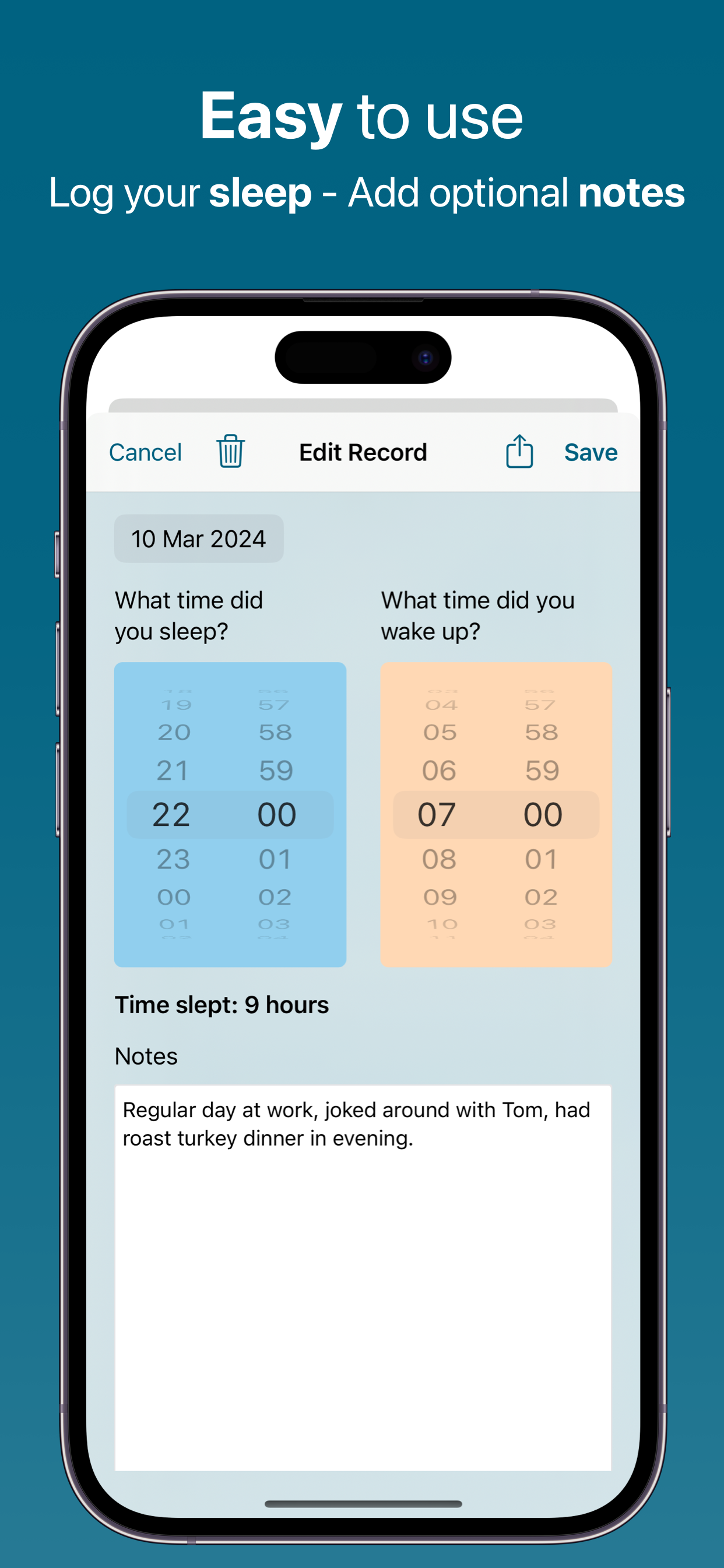
No. Unlike Apple Watch or other wearables, Sleep Diary requires manual logging. You enter your sleep and wake times each morning. However, you can import sleep data from Apple Health if you use other automatic tracking devices.
Can I log naps?
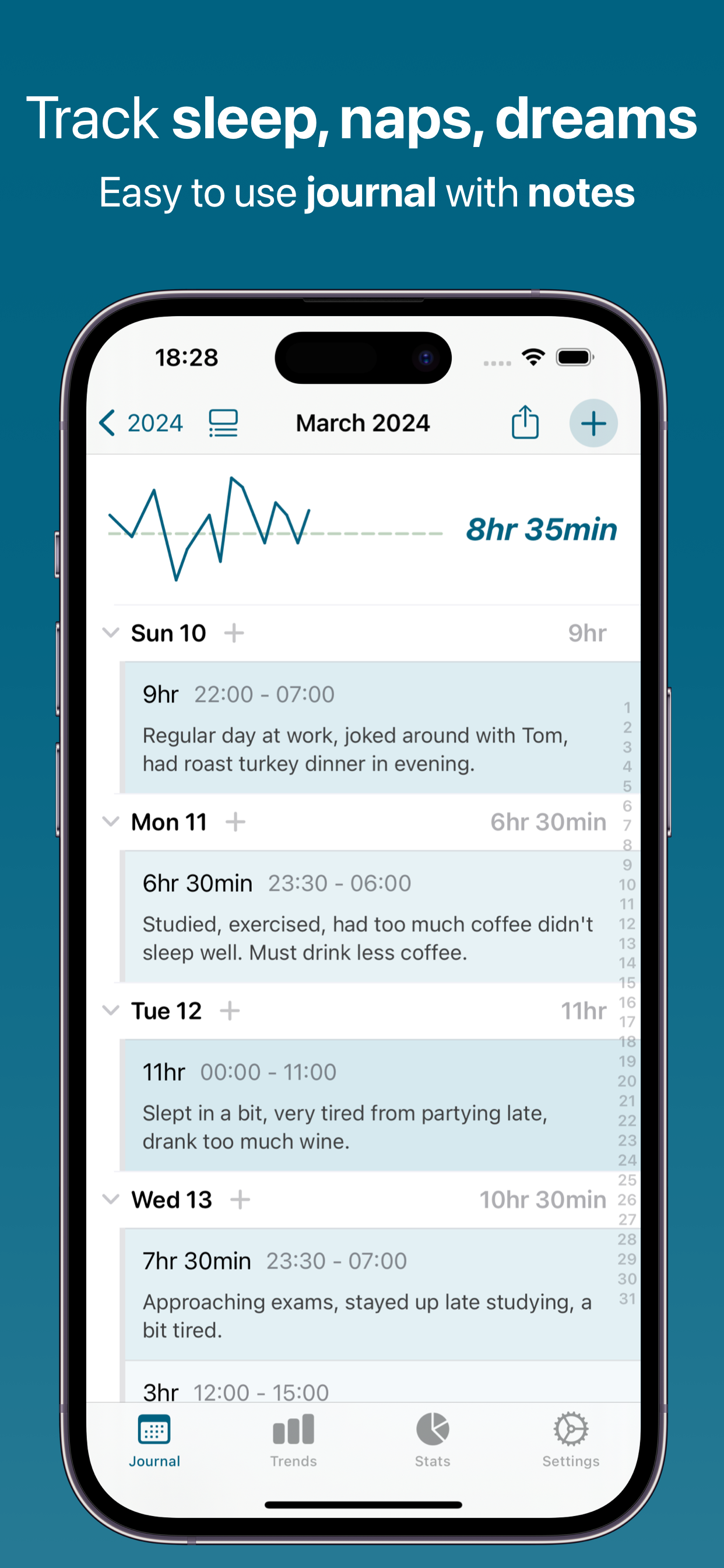
Yes. You can log multiple sleep periods per day, including naps. Each entry shows duration, and the calendar displays all your sleep/wake times.
What's the difference between this and Apple Health?
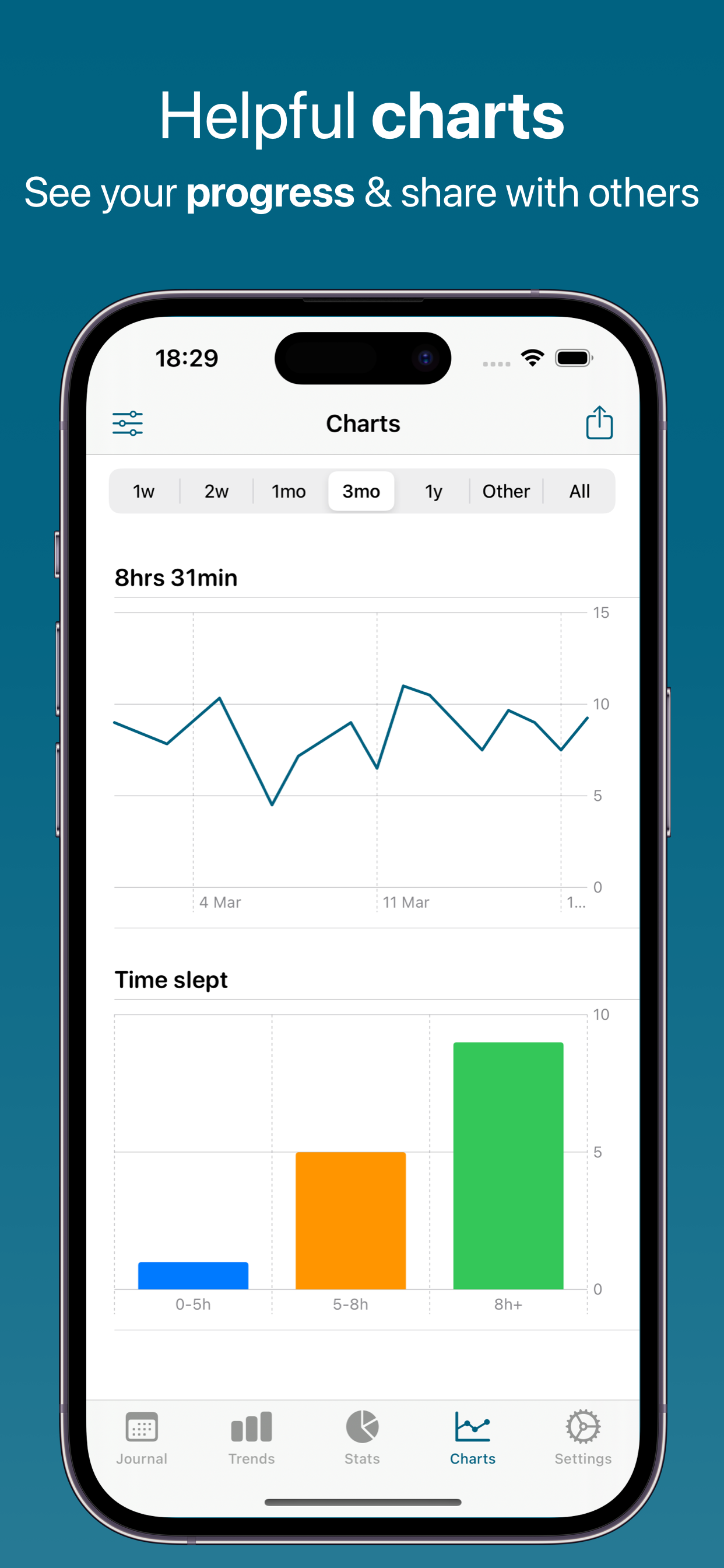
Sleep Diary provides a dedicated interface for sleep tracking with features specifically designed for managing sleep patterns - notes, AI insights, trends, and easy manual logging. It integrates with Apple Health but offers more detailed sleep-focused features.
How does AI help with sleep insights?
When you add notes about your day (e.g., "had coffee at 8pm" or "exercised in the morning"), AI analyzes these over time to show correlations with your sleep duration and quality. This helps identify what promotes or disrupts good sleep.
Can I share sleep data with my doctor?
Yes. Export your sleep history as PDF or Excel reports to share with healthcare providers. This is particularly useful if you're being evaluated for sleep disorders or insomnia.
Does it track sleep quality or just duration?
The app primarily tracks sleep duration (hours slept) based on your logged sleep and wake times. You can add notes about sleep quality, dreams, or how rested you feel, which helps with qualitative tracking.
Is there a reminder to log sleep?
Yes. You can set daily reminders to log your sleep times. Many users set a morning reminder to prompt them to record the previous night's sleep.
Do you show ads or track me?
No. We've completely removed all advertisements from the app. We don't track you across other apps or websites, and we never sell your data to advertisers.
Your data syncs via iCloud - just like Apple Notes and Photos. This means we don't need to know your email address, name, or any personal information. Your sleep data is stored on your devices and in your iCloud account, and it's completely private whether you use the free version or premium.
Do I need a subscription?
The app is completely free to download and use. All core tracking features work without a subscription. A premium subscription unlocks advanced AI features, unlimited exports, and enhanced customization. You can try all premium features during the free trial period.
Start Improving Your Sleep Tonight
Better rest is just a few taps away